THE SHORT ANSWER
A documented, multi-channel cadence with behavior triggers, branching rules, and a clear breakup step is the fastest way to follow up with prospects systematically and convert more of the leads you already have.
A documented, multi-channel cadence with behavior triggers, branching rules, and a clear breakup step is the fastest way to follow up with prospects systematically and convert more of the leads you already have.
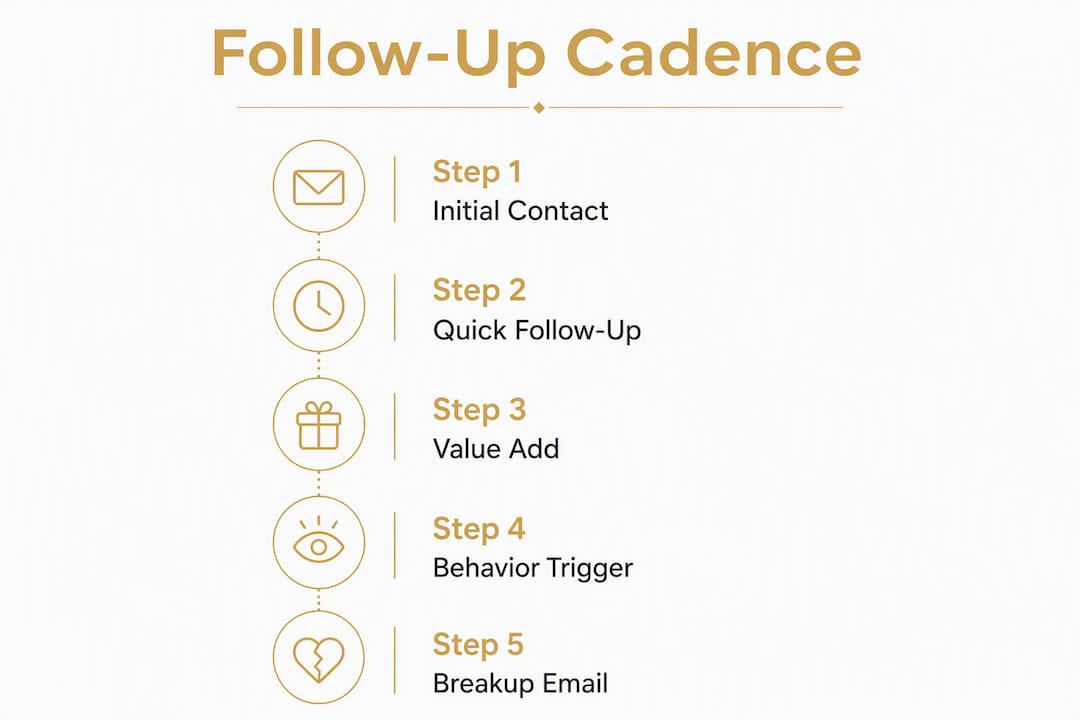
Here is a 6-touch example cadence you can drop into your CRM today:
Day 0: Email (intro + one insight) → Day 2: Phone/voicemail → Day 5: LinkedIn message → Day 9: Email (case study or ROI hook) → Day 14: Phone + email combo → Day 21: Breakup email
Before you build anything else, run through this checklist:
Write your cadence down as a one-page SOP with explicit exit conditions
Set at least one trigger (form fill, pricing page visit, email open) that fires the sequence automatically
Schedule your first two touches before the prospect goes cold
Assign CRM ownership so every lead has a named rep and a next-step date
Pro Tip: Before you end any call or meeting, confirm the next step out loud and log it in your CRM before you hang up. Sequences that start with a confirmed next step have a materially higher completion rate than those that start cold.
Why do your prospects go quiet? A five-minute audit
Most ghosted prospects are not lost because of price or timing. They go quiet because the outreach stopped adding value, arrived on the wrong channel, or never had a clear next step attached.

Run this diagnostic against your last three ghosted prospects before changing anything else.

Timing check: Did your first follow-up arrive within the same business day for an inbound lead, or within 48 hours for a warm outbound prospect? Inbound leads contacted within an hour convert at a significantly higher rate than those who wait until the next morning. If your CRM shows a gap of 24+ hours on an inbound lead, timing is your primary leak.
Channel mismatch: Where did the prospect originally engage? A LinkedIn connection who has never given you their phone number will not pick up a cold call on day two. Match the first follow-up channel to the channel where the relationship started, then diversify from there.
No clear next step: Review the last message you sent. Did it end with a specific ask (“Are you free Thursday at 2 PM for a 20-minute call?”) or a vague one (“Let me know if you have questions”)? Vague CTAs produce vague responses, which is to say, none.
Value-less touches: Every touchpoint must provide independent value to justify continued outreach. If your follow-up sequence is three variations of “just checking in,” you are training prospects to ignore you. Each message needs one concrete asset: a relevant case study, a short ROI calculation, a piece of industry data, or a specific question tied to their business.
CRM hygiene: Pull up the contact record. Is the last activity date accurate? Are there duplicate records? Is the lead source logged? A documented follow-up system breaks down the moment CRM data is stale, because triggers fire on the wrong contacts and reps cannot see what has already been sent.
Common root causes and their one-sentence fixes:
Slow first response: Automate an immediate acknowledgment email the moment a form is submitted.
Wrong channel: Log the prospect’s preferred channel in a custom CRM field and use it to route the first touch.
No next step: Add a mandatory “next step” field to your CRM that blocks a deal from moving stages until it is filled.
Generic messaging: Replace every “checking in” email with a specific resource or data point relevant to the prospect’s industry.
Stale data: Run a weekly CRM audit to close or reassign contacts with no activity in 30+ days.
What every repeatable follow-up system must include
A follow-up system is not a reminder list. Removing any one of its four core components turns a repeatable process into an unreliable habit. Here is what a complete system looks like:
Documented cadence: The sequence of touches, channels, and timing written down and stored in your CRM or sales engagement platform, not in a rep’s head.
Channel mix: Email, phone, voicemail, LinkedIn, and SMS used in a deliberate rotation based on prospect behavior and deal stage.
Triggers: Specific events (form fill, pricing page visit, email open, intent signal) that automatically fire or escalate a sequence.
Branching logic: If/then rules that route prospects to different message variants based on their behavior (replied → pause and route to AE; visited pricing page → insert ROI email).
CRM enforcement: Every touch logged automatically; sequences that pause when a reply is detected; ownership assigned to a named rep.
Playbooks and templates: Pre-written email bodies, subject lines, voicemail scripts, and LinkedIn messages so reps do not write from scratch.
SLAs and ownership: Defined response-time targets (e.g., inbound leads contacted within one hour) and a named owner for every active lead.
Clear exit conditions: Explicit rules for when a sequence ends: after N touches with no response, after a breakup email is sent, or after a prospect books a meeting.
A lead moving through the system looks like this:
Lead enters CRM → trigger fires sequence → touch 1 (email) → branch check (replied? → route to AE; no reply → continue) → touch 2 (phone) → branch check (voicemail left? → log and continue; connected? → route to AE) → … → touch N (breakup email) → exit and tag as “nurture” or “closed lost”
Pro Tip: Keep a one-page SOP that encodes your decision rules and exit criteria. When a rep leaves or a new SDR joins, the system runs the same way regardless — because the rules are in the document, not in someone’s memory.
Automated sequences route high-score leads to reps within minutes and pause automatically when prospects reply, which eliminates the two most common failure modes: slow first response and messaging a prospect who already said yes.
Step-by-step cadences, scripts, and templates you can copy
Choosing the right sequence pattern
Sequence | Touches | Duration | Primary channel | Best for |
|---|---|---|---|---|
Inbound fast follow-up | 4–5 | 5–7 days | Email + phone | Form fills, demo requests |
Outbound prospecting | 6–8 | 14–21 days | Multi-channel | Cold ICP targets |
Post-demo nurture | 4–5 | 7–14 days | Email + LinkedIn | Prospects who attended a demo |
Inbound fast follow-up (4 touches, 5 days)
Effective prospecting cadences place 2–3 touches in the first 48 hours, then extend spacing. For inbound, speed is the variable that matters most.
Day 0, within 15 minutes: Auto-email confirming receipt + one-line value statement. Subject: “Your request — quick note from [Name]”. Body (40 words): “Hi [First Name], got your request. I’ll have a few specific ideas for [Company] ready before we talk. Here’s a 15-minute slot that works this week: [Calendly link]. If none fit, reply and I’ll adjust.”
Day 1: Phone call. Voicemail script (20 seconds): “Hi [First Name], [Your Name] at [Company]. You reached out about [topic] — I have a specific idea for [Company] I want to share. I’ll send a quick email now. Best number to reach you is [your number].”
Day 3: Email with one concrete asset. Subject: “One stat that might change how you think about [their problem]”. Include a relevant case study or data point. CTA: “Worth a 15-minute call this week?”
Day 5: LinkedIn message (50 words max): “Hi [First Name], sent a couple of notes this week about [topic]. Wanted to connect here in case email is noisy. Happy to share what we did for [similar company] if useful. No pressure either way.”
Outbound prospecting (6 touches, 21 days)
Use a Fibonacci-style spacing curve: days 0, 2, 5, 9, 14, 21. This paces outreach with decaying urgency and tends to outperform fixed-interval sequences.
Day 0: Email. Subject: “[Specific trigger: their recent hire/funding/product launch]”. First line: reference the signal directly. Body: one-sentence problem statement + one-sentence value prop. CTA: one specific question.
Day 2: Phone + voicemail. Reference the email. Keep it under 25 seconds.
Day 5: LinkedIn connection request + short note (under 300 characters).
Day 9: Email with case study. Subject: “How [Similar Company] cut [metric] by [X]”. Body: 3 sentences max. CTA: “Relevant to what you’re working on?”
Day 14: Phone. If no answer, no voicemail this time. Log the attempt.
Day 21: Breakup email (see Section 9).
Branch rule: If a prospect visits your pricing page at any point, immediately insert an ROI-focused email and escalate to a senior AE. Signal-anchored personalization built around a single high-signal event can produce 3–5x higher reply rates than static templates.
Post-demo nurture (4 touches, 10 days)
Day 0, within 2 hours: Email recap. Subject: “Notes from today + one thing I forgot to mention”. Include meeting summary, one additional insight, and a clear next step with a date.
Day 2: Email with a relevant resource (ROI calculator, implementation guide). CTA: “Does this change the picture at all?”
Day 5: Phone call. Ask one specific question about their evaluation process.
Day 10: Email with a soft deadline or social proof. Subject: “One thing before I close this out”. Body: reference a similar customer outcome and ask if they want to move forward or pause.
When should you automate and when should you keep it human?
Not every touch should be automated, and not every manual touch is worth a rep’s time. The right call depends on four variables: deal value, lead score, signal strength, and where the prospect sits in the sequence.
Here is a simple decision framework:
Volume is high and deal value is low: Automate the full sequence. Use templates, set triggers, and let the platform handle timing. Reserve human review for replies only.
Lead score is high (see Section 6) and the prospect has engaged: Assign a senior rep immediately. Automate the logistics (scheduling links, confirmation emails) but keep the core messages manual and personalized.
No response after 3 automated touches: Create a manual LinkedIn task. A human message on a different channel often breaks the silence that automation cannot.
Prospect replies at any point: Pause the sequence instantly. Route to the assigned rep. Automated messages sent after a reply are one of the fastest ways to lose a deal.
High-value account, first touch: Always manual. The first message to a named target account should never look like a template.
Automation improves throughput but must include manual checkpoints for high-value prospects. The practical implementation: inject manual tasks into automated sequences at touch 3 and touch 5 for any lead above your scoring threshold.
Guardrails to avoid over-automation:
Set a frequency cap: no more than one automated touch per 48 hours on the same channel.
Use context-preserving pause rules: if a prospect opens an email three times in one day, pause the sequence and create a manual call task.
Never automate a message that references a conversation that has not happened yet.
How do you prioritize which prospects get the most attention?
A simple scoring rubric
Assign points across five dimensions. Total score determines cadence tier.
Attribute | Signal | Points |
|---|---|---|
Intent signal | Pricing page visit, demo request, content download | 30 |
Company fit | ICP match (industry, size, revenue) | 25 |
Role match | Decision-maker or economic buyer | 20 |
Engagement behavior | Opened 2+ emails, clicked a link | 15 |
Lead source | Inbound form > referral > cold outbound | 10 |
Scoring thresholds:
70–100 points: High-touch cadence. Assign to senior AE. First response within one hour.
40–69 points: Medium-touch cadence. SDR-managed. First response within four hours.
Under 40 points: Low-touch drip. Automated sequence. Human review only on reply.
Segmentation by cadence tier
Tier | Touches | Duration | Channels | Ownership |
|---|---|---|---|---|
High-touch | 8–10 | 21 days | Email, phone, LinkedIn, SMS | Senior AE |
Medium-touch | 5–6 | 14–21 days | Email, phone, LinkedIn | SDR |
Low-touch | 3–4 | 30 days | Email only | Automated |
Capacity planning
A single SDR can realistically manage 50–75 active high-touch cadences at once before quality degrades. Medium-touch can scale to 150–200 per rep with solid automation. If your active pipeline exceeds those numbers, either reassign to a lower tier or bring in additional capacity. Tie your cadence workload to your monthly lead volume targets so you are not building a system that collapses under its own volume.
Hot signals (pricing page visit, intent feed spike, new funding round) should trigger an automatic tier upgrade and a same-day manual task for the assigned rep.
What should you measure and how often?
The KPI checklist
Response rate: Percentage of prospects who reply to any touch in the sequence.
Meeting rate: Percentage of sequences that result in a booked call or demo.
Lead-to-opportunity rate: Percentage of leads that advance to a qualified opportunity stage.
Touch-to-reply distribution: Which touch number generates the most replies. Most teams find that following up 5–8 times over 2–4 weeks produces the best results, with a meaningful share of replies coming from touches 4–6.
Time-to-first-response: How quickly the first touch goes out after a lead enters the system.
Sequence pause rate: How often sequences are paused due to a reply or manual intervention.
Opt-out rate: Percentage of prospects who unsubscribe. A rising opt-out rate is usually a signal that frequency or relevance has slipped.
Running a simple A/B test
Pick one variable: subject line or first-line personalization.
Split your next 100 outbound prospects 50/50 into control and variant.
Run for two weeks or until each arm has at least 50 sends.
Measure open rate (for subject line tests) or reply rate (for first-line tests).
Adopt the winner, document it in your playbook, and move to the next variable.
Never test two variables at once. The results become unreadable.
Reporting cadence
Weekly (SDR level): Response rate, meeting rate, and sequence completion rate for the current week’s active cadences.
Monthly (manager level): Cadence-level review comparing sequence variants, touch-to-reply distribution, and opt-out trends. Retire or revise any sequence with a response rate below your baseline.
Should you use behavior-triggered sequences instead of time-based drips?
Yes, and the gap in performance is significant. Behavior-triggered sequences automatically adjust cadence and content based on real-time prospect actions and consistently outperform fixed-time drips because they reach prospects while those prospects are actively researching.
A fixed drip sends touch 3 on day 9 regardless of what the prospect did on day 7. A behavior-triggered sequence detects that the prospect visited your pricing page on day 7 and fires an ROI-focused email within the hour.
Practical trigger examples and their cadence variants:
Pricing page visit (2+ times in 48 hours): Fire ROI email immediately + create manual call task for assigned rep.
Email opened 3+ times without a reply: Trigger a LinkedIn message with a different angle.
Intent feed event (prospect’s company researching your category): Escalate to high-touch tier and assign to senior AE.
New funding round or key hire signal: Personalize first-line hook to the event and launch outbound sequence.
Product usage event (for SaaS): Trigger an in-app or email sequence tied to the specific feature used.
Before you automate a trigger, validate it
Confirm the signal fires accurately on at least 20 test contacts before scaling.
Check for false positives: does a pricing page visit always indicate intent, or does your own team trigger it during demos?
Verify enrichment accuracy: is the contact data attached to the trigger current and correct?
Define a test window of 2–4 weeks on a limited segment before rolling out to the full database.
Pro Tip: Monitor sequence pause rates and false positives during the pilot window. A trigger that fires correctly 80% of the time will frustrate reps and erode trust in the system. Fix the signal before you scale it.
When should you stop, and what does US law require?
The breakup email
Every sequence needs a final message that gives the prospect a graceful exit and leaves the door open. Keep it short and direct.
Subject: Should I close your file?
Hi [First Name], I’ve reached out a few times and haven’t heard back, so I’ll assume the timing isn’t right. I’ll close this out on my end. If anything changes in the next quarter, you’re welcome to reach back out — I’ll pick up where we left off. Either way, I hope [Company] has a strong rest of the year.
The breakup email often generates replies precisely because it removes pressure. Prospects who were not ready to engage frequently respond when they realize the outreach is ending.
US legal requirements: CAN-SPAM and TCPA basics
CAN-SPAM (email): Every commercial email must include a physical mailing address, a clear unsubscribe mechanism, and an honest subject line. Honor opt-out requests within 10 business days. Review the FTC’s CAN-SPAM guidance before building any automated email sequence.
TCPA (phone and SMS): The Telephone Consumer Protection Act requires prior express written consent before sending marketing text messages or using an autodialer for calls to cell phones. Voicemails left by a live person without an autodialer occupy a different legal category, but the rules are nuanced. Consult the FCC’s TCPA resources and, for SMS campaigns, work with legal counsel before launch.
Ethical best practices:
Honor every opt-out immediately, regardless of where it comes from (email reply, phone request, LinkedIn message).
Never spoof caller ID or use misleading sender names.
Do not contact the same prospect on multiple channels on the same day.
Respect an explicit “not interested” as a permanent exit condition, not a pause.
This section is general information, not legal advice. Confirm current requirements with the FTC, FCC, or a qualified attorney before launching any automated outreach program.
Key Takeaways
A documented multi-channel cadence with behavior triggers, branching logic, and a clear breakup step is the single most reliable way to convert more of the prospects already in your pipeline.
Point | Details |
|---|---|
Document the cadence first | Write your sequence as a one-page SOP with explicit exit conditions before building anything in a CRM. |
Front-load your touches | Place 2–3 touches in the first 48 hours for inbound leads; first response within one hour improves conversion. |
Trigger on behavior, not just time | Behavior-triggered sequences outperform fixed-time drips by reacting to real prospect actions like pricing page visits. |
Follow up 5–8 times before stopping | Most replies come from touches 4–6; send a formal breakup email as the final step in every sequence. |
Flockleads delivers pre-qualified leads | Flockleads handles engineered lead flow and CRM integration so your follow-up system starts with better-qualified prospects. |
The part most sales teams skip
The conventional wisdom on follow-up focuses almost entirely on message quality: better subject lines, sharper hooks, more personalization. That advice is not wrong, but it misses the bigger problem.
Most B2B sales teams do not have a messaging problem. They have a consistency problem. Reps who are good at follow-up are good at it because they have internalized a system, not because they write better emails. When you document that system and enforce it through a CRM, you transfer the skill from the individual to the organization. The average rep on a documented cadence will outperform a talented rep working from memory, because the system does not have bad weeks.
The second thing teams underestimate is the breakup email. It feels counterintuitive to send a message that explicitly ends the conversation, but it consistently generates some of the highest reply rates in any sequence. The psychology is straightforward: people respond when they feel control returning to them. A breakup email is not giving up. It is a re-orientation tool that often restarts a conversation that stalled for reasons that had nothing to do with interest.
Build the system. Enforce it in your CRM. Measure touch-to-reply distribution weekly. Iterate on one variable at a time. The teams that do this consistently do not need heroic individual effort to hit their numbers.
When Flockleads makes more sense than building it yourself
Building a follow-up system in-house takes time, tooling, and a steady supply of qualified leads to run it against. If your team is spending more time sourcing contacts than working sequences, the system you build will always be underfed.
Flockleads delivers qualified B2B leads directly to your CRM, already segmented by sector and intent, so your cadences start with prospects who are actively looking. The platform runs Meta, LinkedIn, Google, and TikTok campaigns with weekly optimization, qualifying lead forms, and instant delivery, which means your reps spend their time on follow-up, not on prospecting from scratch.
For service businesses and contractors who need consistent lead volume without building a full in-house demand generation function, Flockleads is the faster path. You get the lead flow, the CRM integration, and the weekly reporting. Your team handles the follow-up with the system this article describes.
If you are unsure whether generating your own leads or buying them makes more sense for your current stage, Flockleads offers a free audit that maps your current lead volume to your revenue target and shows exactly where the gap is. Request your free audit at Flockleads and get a clear picture of what a consistent lead flow would do for your pipeline.
Useful sources
Before automating any trigger-based sequence, review your CRM vendor’s integration documentation and your sales engagement platform’s trigger configuration guides. Running a 2–4 week pilot on a limited segment before full-scale rollout will save you from false-positive errors that erode rep trust in the system.
Frequently asked questions
What should you say when following up with a prospect?
Reference something specific to the prospect or their business, then offer one concrete piece of value (a case study, a relevant data point, or a direct question). Never open with “just checking in” — every touchpoint must provide independent value to justify the outreach.
How do you follow up professionally without being pushy?
Use a documented cadence with explicit spacing (days 0, 2, 5, 9, 14, 21) and always end with a clear, low-pressure CTA. A formal breakup email at the final touch gives the prospect control and often generates a reply precisely because it removes pressure.
How many times should you follow up with a prospect?
Most teams see the best results following up 5–8 times over 2–4 weeks before sending a breakup email. Most teams see the best results following up 5–8 times over 2–4 weeks before sending a breakup email. A significant share of replies come from touches 4–6, so stopping after one or two attempts leaves most of the pipeline untouched.
How do you follow up with prospects at scale?
Use a CRM or sales engagement platform to run documented sequences with behavior-based triggers and automatic pause rules. Automated sequences route high-score leads to reps within minutes and pause when a prospect replies, so volume does not come at the cost of relevance.
NEED A CLEARER PLAN?
Let’s turn your next move into momentum.
Talk to us →