THE SHORT ANSWER
LinkedIn sections are the individual blocks (photo, headline, About, experience, skills, and more) that make up your profile, and they behave less like a resume than a search-indexed landing page. Six carry the most weight for recruiter visibility and credibility: your photo, headline, About, skills, experience, and Featured. Get those right first.
LinkedIn sections are the individual blocks (photo, headline, About, experience, skills, and more) that make up your profile, and they behave less like a resume than a search-indexed landing page. Six carry the most weight for recruiter visibility and credibility: your photo, headline, About, skills, experience, and Featured. Get those right first. The steps, character limits, and reordering tricks come next.
Key Takeaways
Fixing your headline, About, and Skills fields in structured, keyword-matched language drives most of the visibility gain a LinkedIn profile can realistically capture.
Point | Details |
|---|---|
Prioritize six core fields | Photo, headline, About, skills, experience, and Featured drive the bulk of recruiter visibility. |
Respect the About limit | Keep About under the 2,000-character cap and front-load your strongest sentence. |
Put keywords in structured fields | Skills and headline get filtered by search; About text alone often gets missed. |
List at least five to eight skills | Thin skills lists measurably hurt discoverability in recruiter searches. |
Give edits time to propagate | Allow hours to a few days before re-editing the same field again. |
What each LinkedIn profile section actually does
Your profile splits into two tiers: sections almost everyone should fill out, and optional ones that only pay off in specific situations. Knowing which is which saves you from over-building a profile nobody needed that thorough.
Core sections form the backbone that LinkedIn’s own help documentation walks through:
Profile photo and background banner anchor your intro area. Coursera’s research found profiles with photos get meaningfully more views and engagement than those without, and a banner image adds a second visual cue before anyone reads a word.
Headline sits directly under your name and shows up in every search result and comment you leave, making it arguably the single most visible line of text you control on the platform.
About is your narrative pitch, capped at 2,000 characters, roughly 300 to 500 words, per Coursera.
Experience lists roles with descriptions; two or more past positions with real detail signal a complete, trustworthy profile.
Education matters most early career or when a credential is directly relevant to your target role.
Skills feeds LinkedIn’s recruiter search filters directly. Fewer than five listed skills noticeably hurts discoverability, according to profile optimization audits.
Featured is a pinned showcase for links, documents, posts, or media. Treat it as your proof panel, not an afterthought.
Recommendations are third-party endorsements written by colleagues or clients, and they carry more weight than skill endorsements because they’re free text, not a one-click button.
Optional credibility sections exist for specific situations, and LinkedIn’s help page confirms they’re all addable through the same interface: licenses and certifications, projects, publications, patents, honors and awards, volunteer experience, languages, organizations, and courses. A software engineer with a patent filing should absolutely surface it. A recent graduate with no work history yet benefits far more from listing coursework and volunteer projects than leaving those sections empty.
The pattern worth remembering: projects, publications, and patents act as credibility multipliers in competitive hiring situations. A job title tells a recruiter what you were called. A linked case study or a listed patent tells them what you actually built.
Pro Tip: Don’t add every optional section just because it’s available. An empty “Courses” section with one entry from 2019 looks worse than no section at all. Only add what has real, current content behind it.
How to add, edit, and reorder profile sections
Getting a new section onto your profile takes under a minute once you know where LinkedIn buries the control.
Go to your profile page and look for the “Add profile section” button, positioned just below your About block and above Experience.
Choose a category. LinkedIn groups options into buckets like Core, Recommended, and Additional, each expanding to show specific sections such as Licenses & Certifications or Volunteer Experience.
Fill in the fields for that section and save. New sections typically land at the bottom of your profile, not where you might want them.
Reorder by dragging. Hover over a section header on desktop until a six-dot drag handle appears, then click and drag it up or down. Some sections, like your intro block and About, are fixed in place and can’t be moved.
Pin items to Featured the same way, through the drag interface shown in walkthroughs on reordering and pinning.
Mobile works similarly but with a slightly more condensed menu structure, since drag handles are harder to tap precisely on a small screen. For the exact current UI, including screenshots that track LinkedIn’s frequent redesigns, LinkedIn’s own help page stays the most reliable reference, since third-party guides go stale within months.
Writing each field so it actually gets found
Structure matters as much as substance here. LinkedIn’s search algorithm weighs certain fields more heavily than others, and most people write for the wrong one.
Your headline is the closest thing on LinkedIn to ad copy. It shows up in search results, comment threads, and connection requests before anyone clicks through, so waste none of its roughly 220 characters on your job title alone. Structure it as role, then keyword, then value proposition: “B2B Sales Director | Helping Manufacturers Scale Pipeline | HubSpot & Salesforce Certified” beats “Sales Director at Acme Corp” every time.
About should read as first-person narrative, three to five short paragraphs, with concrete outcomes rather than vague claims about being “results-driven.” Close with an actual call to action, an invitation to connect or a pointer to your Featured section. Stay mindful of that 2,000-character ceiling; recruiters skim, so front-load the strongest sentence.
Experience bullets should lead with achievements, not duties.
Skills need to match exact search terms recruiters actually type, since LinkedIn’s structured fields feed its filtering system directly, unlike free text buried in About. Reorder your top three manually, since those are the ones shown by default.
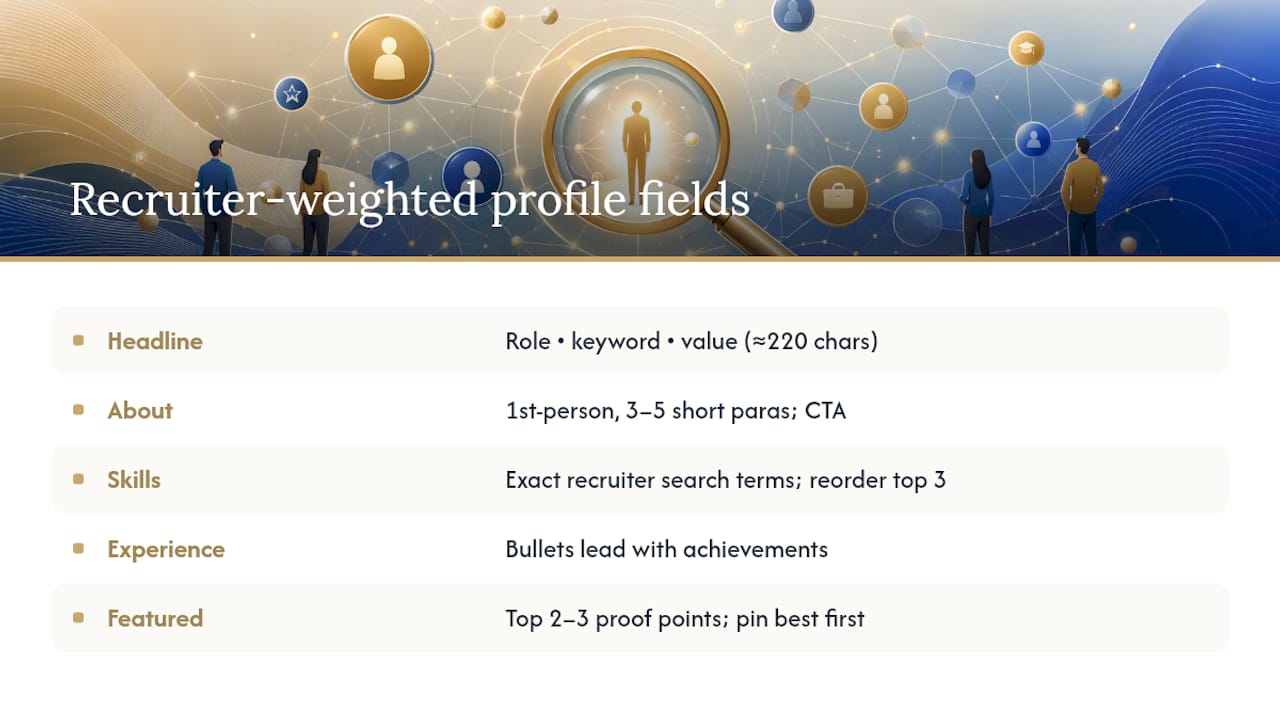
Featured should hold your strongest two or three proof points: a case study, a press mention, a slide deck, or a well-performing post. Pin the single best item first, because it displays in the top left position of that grid.
Why your edits might not show up right away
A rewritten headline or About section doesn’t always appear instantly in recruiter search results. LinkedIn’s index needs a short propagation window, typically hours to a few days, before changes fully register. Rapid re-editing during that window tends to backfire, since it resets the clock without improving anything.
Most visibility problems trace back to the same few mistakes:
Keywords live only in About, never in the structured Skills or headline fields recruiters actually filter by.
The Skills list stops at two or three entries instead of the eight to ten that give search algorithms enough to match against.
Featured sits empty, so there’s no proof panel backing up the claims in About.
Experience entries list a title and dates with no description at all.
A profile that reads well to a human but skips structured fields entirely is invisible to the recruiter search tools that actually surface candidates. The words matter less than where you put them.
Quick verification takes five minutes: open your profile in a private browser window to see the public view, search LinkedIn for two or three of your own headline keywords to confirm you surface, and check your profile strength indicator for flagged gaps.
Where to verify these steps yourself
For the exact current interface, check LinkedIn’s help page on adding sections and its overview of core profile areas, plus Coursera’s profile guide for formatting benchmarks.
What the profile playbook gets wrong
Most advice on LinkedIn sections treats the “3/2/1 rule,” three skills, two recommendations, one featured post, as if it were handed down by LinkedIn’s engineering team. It isn’t. Profile auditors rank fields by actual search visibility, and headline sits at the top of that ranking by a wide margin, not because of any numeric quota.
The bigger gap in conventional advice is sequencing. Most guides tell you to fill out every section evenly, as if a complete profile and a found profile were the same thing. They aren’t. A profile with eight skills, a sharp headline, and an empty Publications section will out-rank one with every optional section filled and a generic headline, every time.
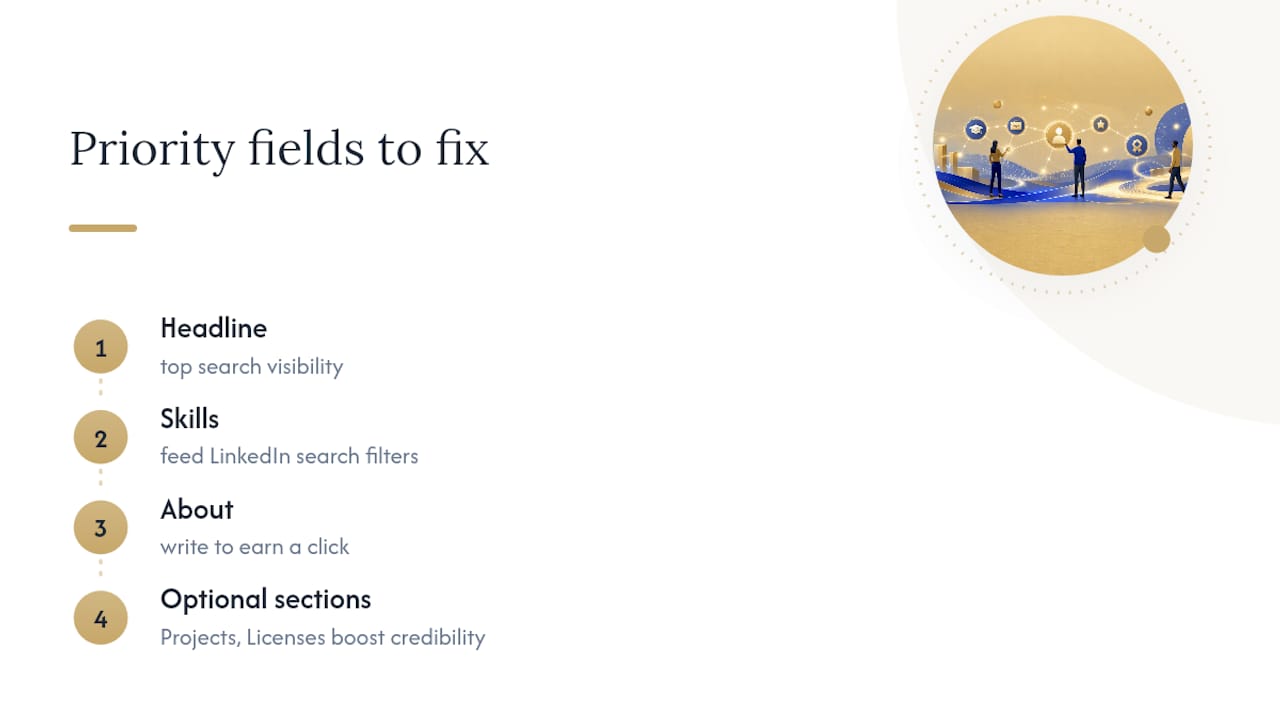
Start with the fields that feed LinkedIn’s search filters directly: headline and skills. Then write About like it has to earn a click, not summarize a resume. Optional sections like Projects and Licenses are real credibility multipliers, but only after the load-bearing fields are solid. Build the frame before you hang the decorations. And if your business’s growth depends on more than a strong LinkedIn presence, a lead generation platform built for B2B companies covers the demand-generation work a profile alone can’t do.
Sources
Frequently asked questions
What is the 3/2/1 rule on LinkedIn?
It’s a popular mnemonic (roughly three skills, two recommendations, one featured item) rather than an official LinkedIn guideline; profile auditors instead prioritize headline and structured fields for actual search visibility.
What are the key sections of a LinkedIn profile?
The core sections are your photo, headline, About, experience, education, skills, Featured, and recommendations, with optional sections like certifications, projects, and volunteer experience adding credibility when relevant.
Why are people getting rid of LinkedIn?
Some professionals scale back their activity due to notification fatigue or low return on time invested, but a well-structured profile with strong core sections still drives meaningfully more recruiter and networking traffic than a sparse one.
What should I put in the LinkedIn About section?
Write three to five short first-person paragraphs covering measurable achievements and your current focus, staying under the 2,000-character limit, and close with a clear call to action.
NEED A CLEARER PLAN?
Let’s turn your next move into momentum.
Talk to us →